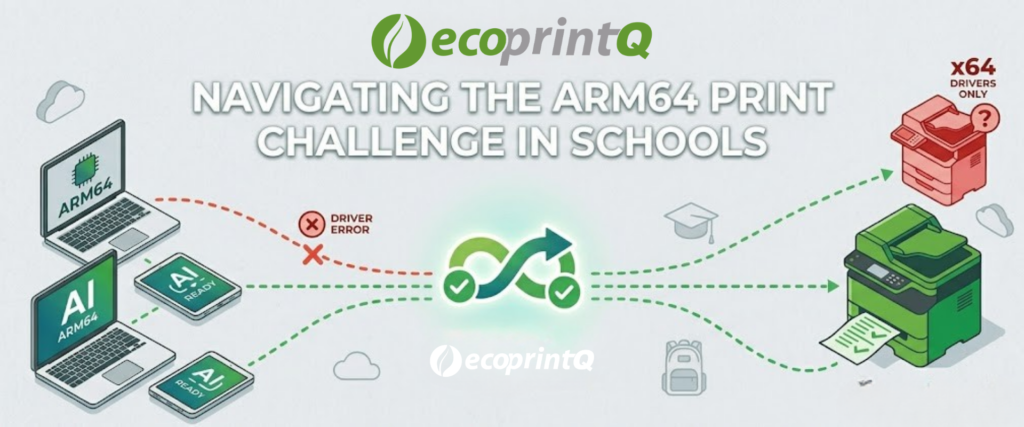
When “Good Enough” Starts Creating Friction in K-12
Most schools already have something in place. A print solution. A scan workflow. A shared drive. A process that has existed for years and technically still works.
The mistake is assuming that means the environment is working well.
Schools are refreshing devices faster than they have in years.
Windows 10 end-of-life, AI-ready hardware, longer battery life, and lightweight deployments are all accelerating the move toward ARM64 devices in education.
For students and staff, the experience is great. For printing, not always.
The Problem Most Schools Do Not See Coming
Many schools assume new laptops will simply slot into their existing print environment.
That is not what is happening.
Traditional printer drivers were built for x64 architecture, and many do not work properly with ARM64 devices. Even environments that seem modern on the surface can suddenly run into deployment issues, inconsistent printing, or driver compatibility gaps.
In schools, where printing still plays a critical operational role, that becomes a serious problem quickly.
This Is Bigger Than One Device Refresh
What makes this shift important is that ARM64 is not a niche conversation anymore.
Schools are increasingly evaluating:
- Copilot+ PCs
- Surface devices
- ARM-based student fleets
- AI-capable endpoints
The appeal is obvious:
- longer battery life
- lower power consumption
- improved portability
- modern AI functionality
The challenge is that many print environments were never built with this transition in mind.
Why This Matters for Resellers
This is where reseller conversations can become much more strategic.
Schools do not necessarily need to replace their print environment. They need solutions that can bridge older infrastructure with newer hardware without creating extra IT burden.
That is one reason PaperCut Hive and Print Deploy conversations are becoming more relevant.
The ability to automatically deploy compatible drivers across mixed environments removes a major operational headache for school IT teams.
And when ARM64-compatible manufacturer drivers are unavailable, solutions like PaperCut’s Global Print Driver help keep environments running without forcing schools into rushed hardware decisions.
The Opportunity Is Simplicity
The schools navigating this transition most successfully are not adding complexity.
They are simplifying infrastructure.
Reducing dependency on legacy print servers.
Improving deployment consistency.
Making mixed-device environments easier to support.
That shift creates broader conversations around cloud print management, authentication, workflow automation, and long-term modernization.
The Bigger Trend to Watch
ARM64 adoption in education is still early, but momentum is building quickly.
Resellers who understand how this impacts printing now will be in a much stronger position as more districts begin refreshing fleets over the next 12–24 months.
This is not just a hardware story.
It is an infrastructure story.
Takeaway
ARM64 is quickly moving from “emerging” to “expected” in education environments.
The resellers who understand how that shift impacts printing and deployment will be far better positioned for the next wave of school technology refreshes.
Read the full St. Joseph’s College customer story here:
PaperCut Customer Story: Solving the ARM64 Print Challenge at St. Joseph’s College
As an Authorized Solution Center, ecoprintQ helps ecoPartners stay ahead of the infrastructure shifts shaping modern education environments.

ecoprintQ
Headquarters US
Call us
Mon-Fri from 8am to 8pm
(800) 236-8499
Discuss Sales
Our friendly team is here to help
sales@ecoprintq.com
Support
We are always here to assist
support@ecoprintq.com


Contact Us