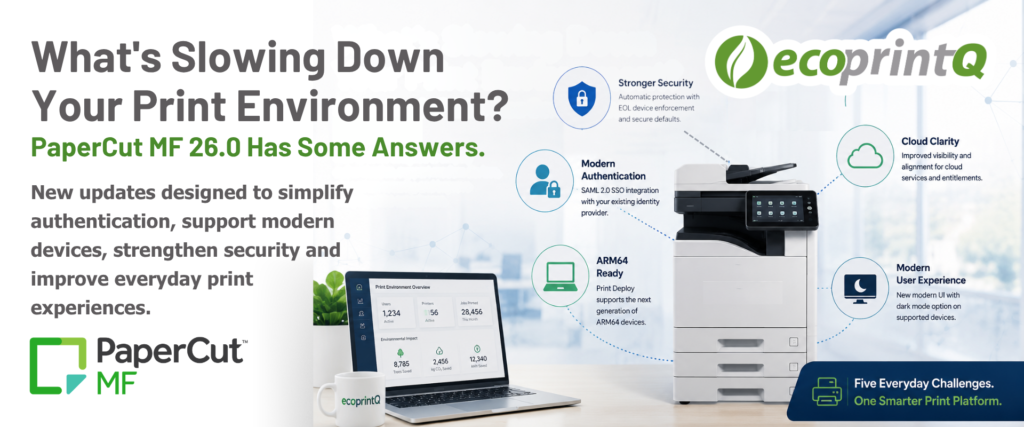
What's Slowing Down Your Print Environment? How PaperCut MF 26.0 Helps Solve Everyday IT Challenges.
Technology doesn’t stand still, and neither do the challenges IT teams face every day.
As organizations adopt new devices, strengthen security policies, and modernize the way employees access technology, print infrastructure has to keep pace. That’s exactly what PaperCut MF 26.0 is designed to do.
Rather than introducing change for the sake of change, this release focuses on solving real-world challenges IT teams encounter every day. Here are five updates that can help organizations reduce friction, simplify administration, and prepare for what’s next.
Challenge #1: Too Many Logins and Disconnected Authentication
Managing multiple usernames, passwords, and authentication methods creates unnecessary complexity for both users and IT administrators.
PaperCut MF 26.0 introduces native SAML 2.0 authentication, allowing organizations to integrate with identity providers such as Microsoft Entra ID, Okta, PingFederate, and JumpCloud. Users authenticate through the same identity platform they already use throughout the organization, supporting a consistent sign-on experience while maintaining existing MFA and security policies.
Why it matters: Organizations can simplify access to print while aligning with their broader identity management strategy.
Challenge #2: Supporting the Next Generation of Devices
More organizations are beginning to introduce ARM64-based laptops alongside traditional Intel and AMD devices. While that’s great for performance and battery life, it can introduce new printing challenges.
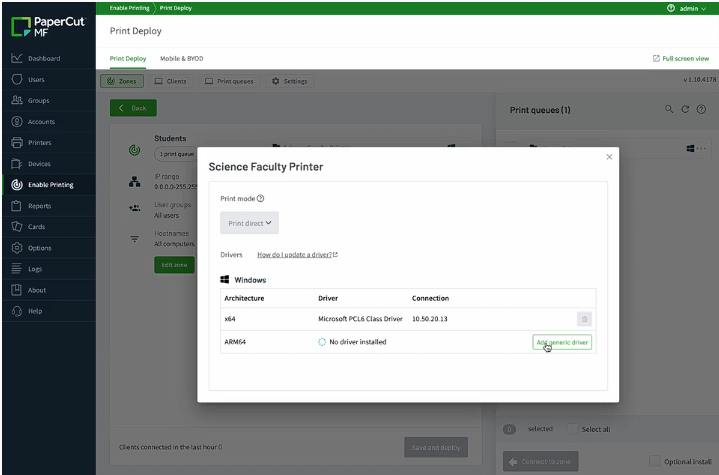
With ARM64 support in Print Deploy, PaperCut MF 26.0 automatically detects a device’s architecture and delivers the appropriate print driver. When manufacturer-specific ARM64 drivers aren’t yet available, the PaperCut Global Print Driver helps keep users productive.
Why it matters: IT teams can support mixed-device environments without creating separate print deployment strategies.
Challenge #3: Modernizing Without Disrupting Users
Refreshing technology shouldn’t mean retraining every employee.
PaperCut MF 26.0 introduces a refreshed embedded interface, including an optional dark mode on supported platforms. The update modernizes the look and feel while preserving the workflows users already know. Administrators can enable the new theme through configuration without requiring device restarts.
Why it matters: Organizations can deliver a more modern experience without increasing support requests or slowing adoption.
Challenge #4: Keeping Older Devices Secure
Many organizations still rely on legacy hardware, but aging devices can introduce unnecessary security risks over time.
PaperCut MF 26.0 automatically disables unsupported end-of-life embedded device types during upgrades. If additional time is needed before replacing hardware, administrators have the ability to temporarily re-enable those devices through an audited administrative process.
Why it matters: IT teams gain stronger security by default while maintaining the flexibility to support business continuity during hardware refresh cycles.
Challenge #5: Reducing Confusion Around Cloud Services
Unexpected errors create frustration for users and additional support calls for IT.
PaperCut MF 26.0 improves the experience by providing clearer visibility into cloud-enabled features tied to active Maintenance & Support agreements. Instead of presenting unavailable features that result in errors, those services are simply hidden from the user interface, while administrators receive clear diagnostics explaining feature availability.
Why it matters: Users experience fewer interruptions, and administrators gain better visibility into the status of cloud services.
Looking Beyond the Features
The most valuable software updates don’t simply add functionality. They solve problems organizations are already trying to address.
PaperCut MF 26.0 reflects the direction modern IT environments are heading: stronger identity management, support for emerging hardware, security-first administration, and a smoother user experience.
For ecoPartners, these enhancements create opportunities to have more meaningful conversations with customers. Instead of leading with features, start by asking where they’re experiencing friction. The answers may naturally lead to discussions around authentication, device management, security, or modernization—and PaperCut MF 26.0 is well positioned to help address each of those challenges.
Looking Ahead
Whether you’re planning your next PaperCut MF upgrade or simply staying informed on the latest enhancements, MF 26.0 offers meaningful improvements that align with the way modern organizations work. From stronger authentication to better support for emerging hardware and security-first administration, these updates are designed to help IT teams simplify day-to-day management while preparing for the future.
If you’d like to learn more about PaperCut MF 26.0 or discuss how these new capabilities can benefit your customers, reach out to your ecoprintQ Channel Manager. We’re here to help you navigate the latest updates and identify new opportunities to bring value to your customers.

ecoprintQ
Headquarters US
Call us
Mon-Fri from 8am to 8pm
(800) 236-8499
Discuss Sales
Our friendly team is here to help
sales@ecoprintq.com
Support
We are always here to assist
support@ecoprintq.com


Contact Us